PHP
PHP2Shell: unauthenticated remote code execution
21 Oct
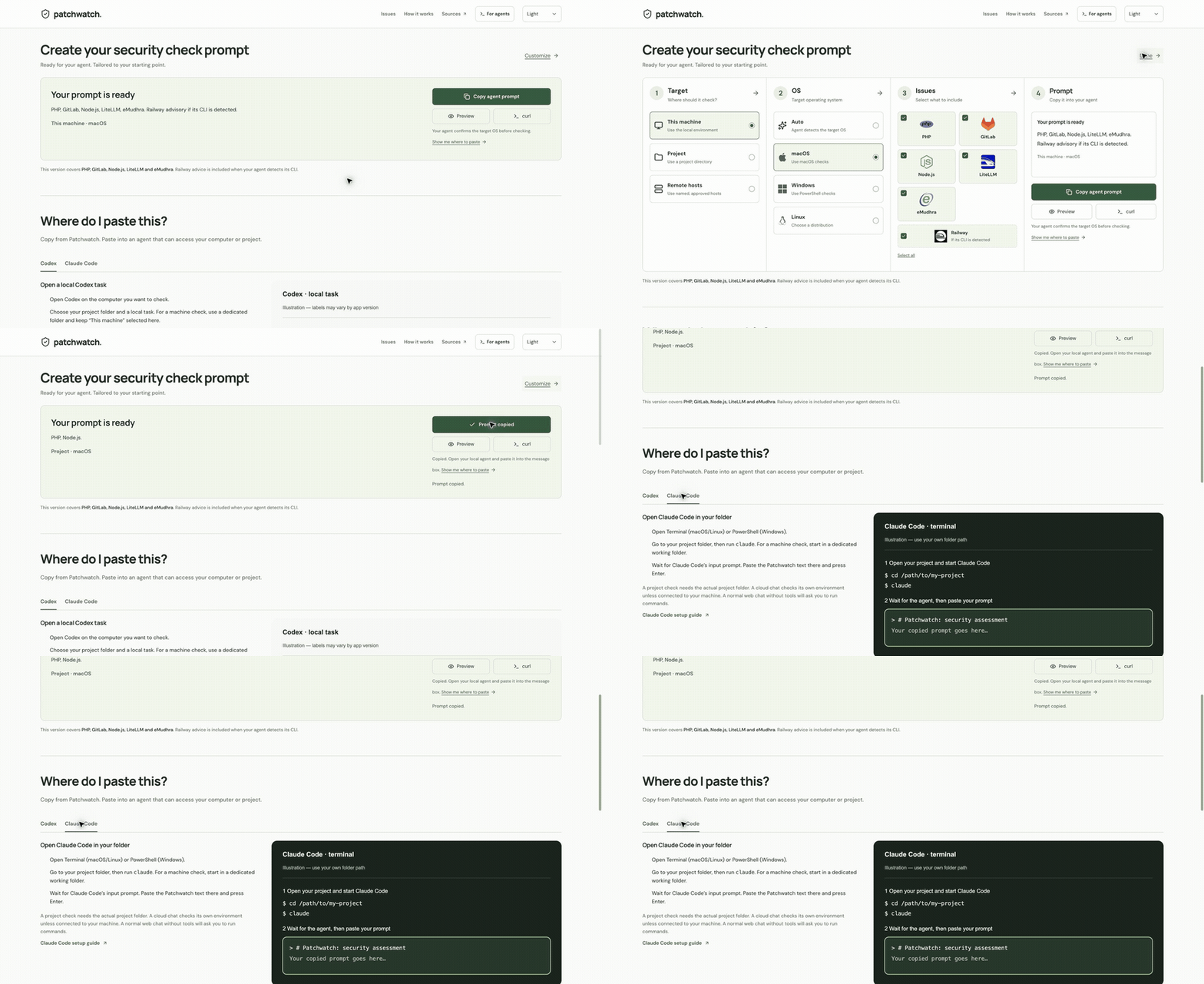
Ready for your agent. Tailored to your starting point.
Choosing defaults for this browser. Your agent runs the checks.
This version covers PHP, GitLab, Node.js, LiteLLM and eMudhra. Railway advice is included when your agent detects its CLI.
Copy from Patchwatch. Paste into an agent that can access your computer or project.
A project check needs the actual project folder. A cloud chat checks its own environment unless connected to your machine. A normal web chat without tools will ask you to run commands.
Codex setup guide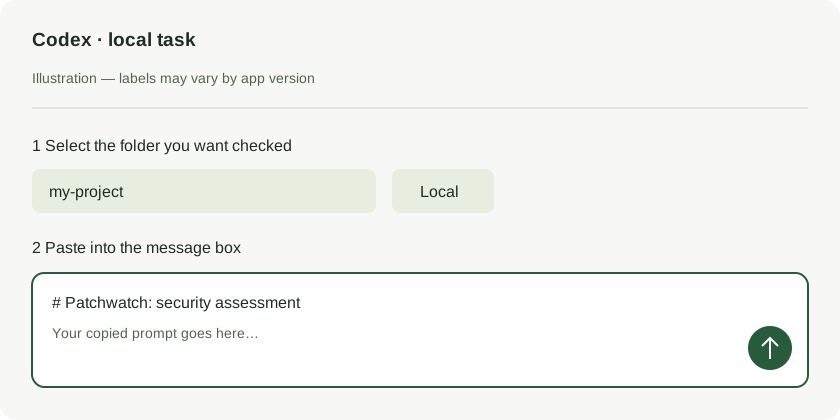
Recorded page views: defaults → Customize → Copy → paste guide.
Download the GIFThe defaults select this machine and suggest an OS from your browser. Use Customize for a project or remote hosts; your agent confirms the execution environment.
Use Codex, Claude Code, or another agent with access to the target. For a project, open its repository first. For remote hosts, provide their names and approved access method.
Your agent checks installed software and running services, verifies the vendor guidance, and reports findings with evidence. If it cannot run a check, it asks you for the output.
Review the proposed change. Run any sudo or Administrator command yourself and share redacted output. Your agent verifies the running version and service health.
These optional checks test the client you run them with. Browser, Node.js and container results can differ.
Command recipes and result artwork: eCHUDhra . Research and test infrastructure: Dennis Jackson and community contributors , crediting original reporter Wayne. eCHUDhra is a parody site, unaffiliated with eMudhra.
A failed connection can still show safe-looking artwork. Check the certificate error and a working control connection; one endpoint does not cover all affected chains.
POSIX shell syntax. Tests this curl build and its configured trust store.
curl -fsS https://dv-g3b-aaa-emudhra.we-have-a-problem.com >/dev/null 2>&1 && curl -s https://echudhra.com/chud.txt || curl -s https://echudhra.com/chad.txtTests the Node executable you launch. Other installed runtimes can differ.
node -e "fetch('https://dv-g3b-aaa-emudhra.we-have-a-problem.com').then(()=>'chud').catch(()=>'chad').then(a=>fetch('https://echudhra.com/'+a+'.txt')).then(r=>r.text()).then(console.log)"Ask before running: may pull an image, creates a temporary container and installs curl inside it. Does not test your host or existing application images.
docker run --rm alpine sh -c "apk add -q curl; curl -fsS https://dv-g3b-aaa-emudhra.we-have-a-problem.com >/dev/null 2>&1 && curl -s https://echudhra.com/chud.txt || curl -s https://echudhra.com/chad.txt"Keep the same agent conversation open. Approve the fixes you want, then ask it to recheck.
Done means each selected issue has evidence of a fix or does not apply in the checked scope, with no pending restarts or unexplained gaps. Incident recovery can also require credential rotation and investigation.
Use after your agent has reported or made approved changes.Paste only the agent’s JSON summary, with secrets removed. This stays in this tab: no upload or saved history. Patchwatch checks report structure and flags missing evidence; it cannot independently validate fixes or certify safety.
PHP2Shell: unauthenticated remote code execution
21 Oct
Critical RCE in self-managed GitLab
21 Oct
Compromised package and container release
21 Oct
Brotli, TLS and DNS security fixes
21 Oct
Potential exposure of stored secrets
21 Oct · If CLI detected
Compromised certificate authority keys
20 Oct